FSX Live User Setup
This guide will help you set up your FSX Live account for use both at The Golf Reserve and at home. When using our simulators, we recommend logging into your FSX Live account for quick setup and access to club leagues, contests, and performance tracking.
Step 1
Begin by visiting https://fsxlive.foresightsports.com/
Step 2
From the landing page, click on "SIGN UP" in blue at the top right-hand side of the screen:

Step 3
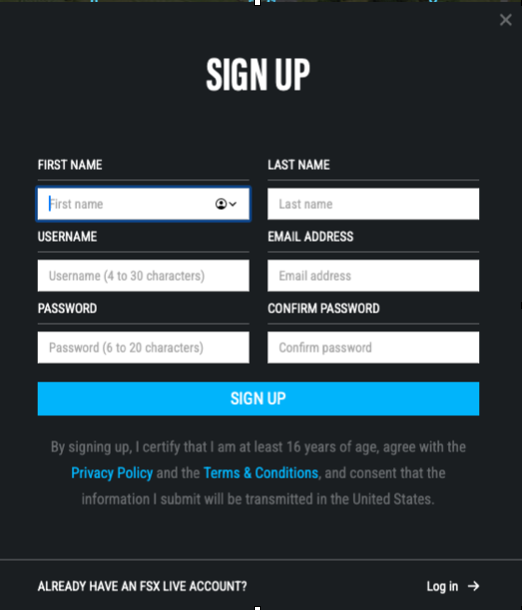
Next, enter your name, username, email and password for your FSX Play account. Be sure keep track of your user name and password as you will need it to access your FSX Play account when in-suite.
Step 4
Click "Sign Up" to finalize your account creation.
Step 5
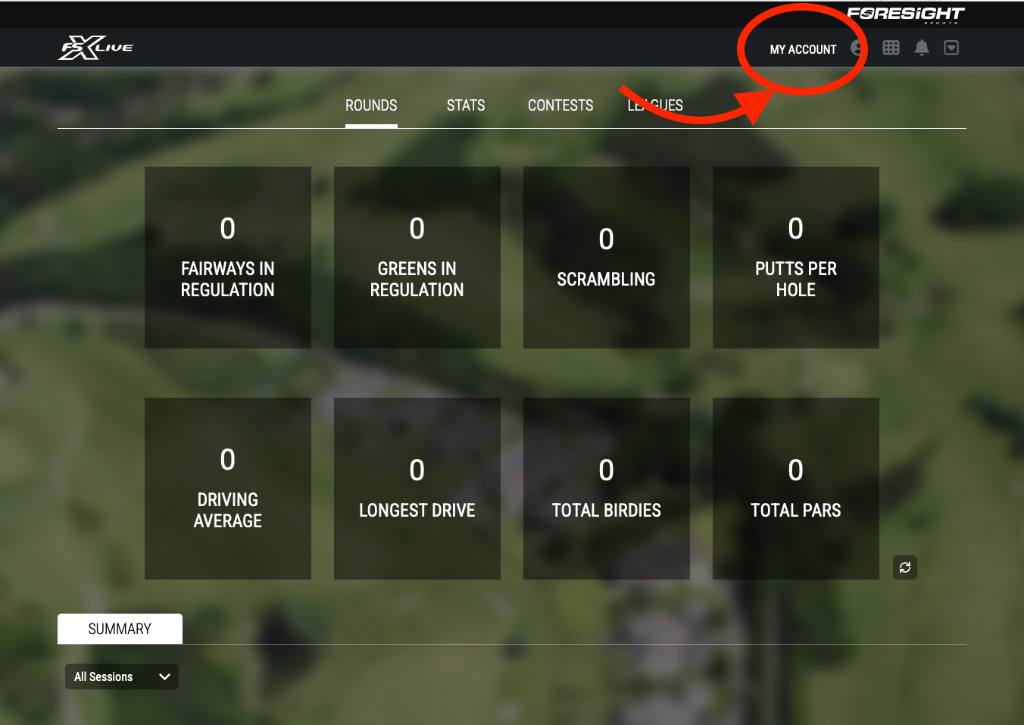
From the FSX Live landing page, click "My Account" in the top right hand corner.
Step 6
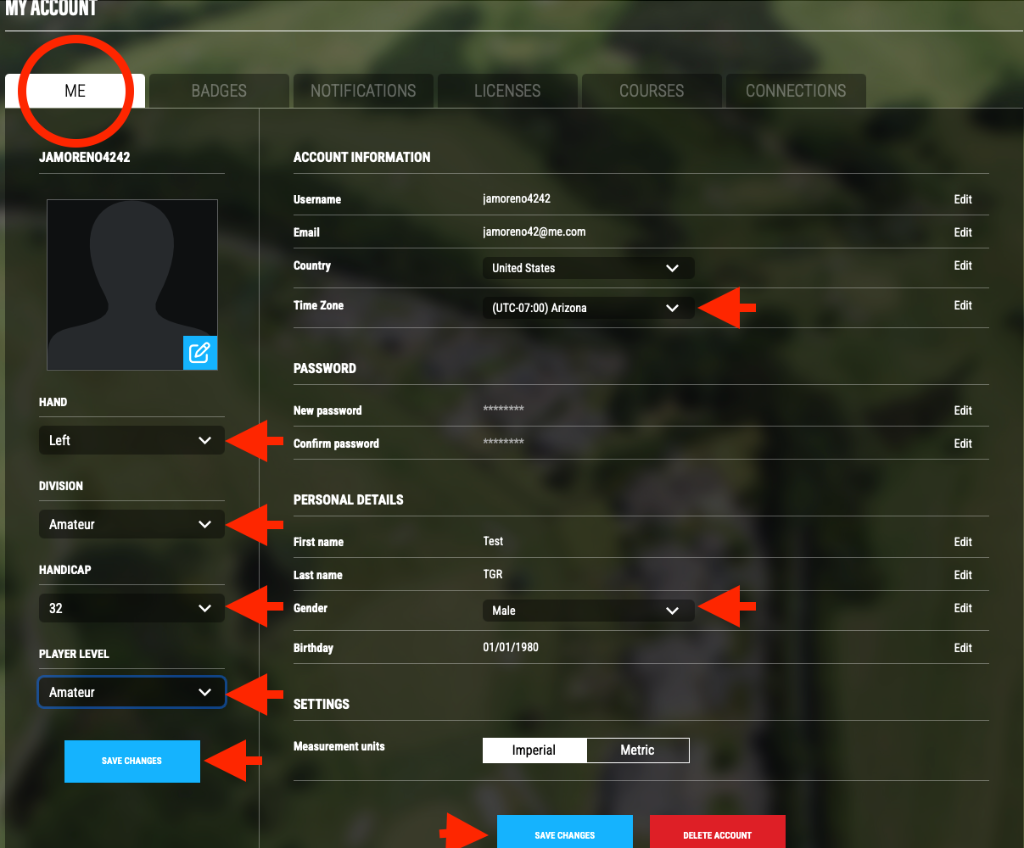
On the "Me" tab, update the following - these field will help with your in-club experience as well as future tournaments and competitions:
- Time Zone: UTC 0:700 Arizona
- Gender
- Hand (dexterity) Left or Right
- Division
- Handicap (if known)
- Player Level
Then, Save changes.
Step 7
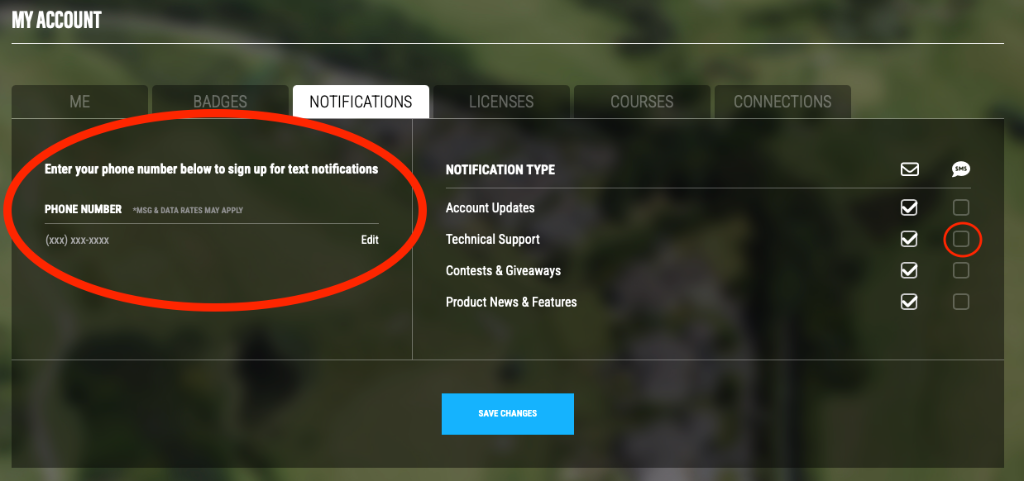
Next, click on the "Notifications" tab. While not required, we do recommend inputing a mobile number and selecting the text message box next to to "Technical Support" in case of any issues you may have with your account in-club or otherwise
That's it! Your FSX Live account setup is now complete. All you need to do now is input your login credentials into the FSX Play software when you're in-club, and your user data will be loaded and ready to track your performance.